
Learn Unity. Ship Games. Build Smarter.
Practical Unity tutorials, dev workflow tips, and honest gear recommendations for indie developers.
- ✓ Step-by-step Unity tutorials
- ✓ Free in-browser tools, no sign-up
- ✓ Honest gear picks
Latest guides
Step-by-step Unity tutorials and workflow tips, newest first.
-

Unity 2D Wall Jump and Wall Slide Tutorial
Add wall slide and wall jump to a Unity 2D platformer with wall checks, slide speed caps, jump-away force and…
-
Unity Editor Slow? Speed Up Play Mode, Compiles and Imports
Make the Unity Editor faster: Enter Play Mode options, assembly definitions, asset imports, antivirus exclusions and profiling the Editor.
-
Unity Quest System With ScriptableObjects: Objectives and Rewards
Build a simple quest system in Unity using ScriptableObject quest data, kill and collect objectives, events and a quest log…
-
Clicks Going Through Unity UI? Block Game Input Behind Buttons
Stop clicks passing through Unity UI into the game: IsPointerOverGameObject, Input System gotchas, Raycast Target and blocker panels.
-

Unity Knockback and Hit Reactions for 2D and 3D Characters
Add knockback in Unity with AddForce, a stun window that pauses input, CharacterController pushback, hit flash and hit stop.
-

Unity Hub Not Opening or Stuck? Fix License and Install Errors
Fix Unity Hub problems: stuck loading, no valid license, editor install failures, projects not opening, and where the logs live.
Gear & buying guides
Hardware, books and Asset Store tools we’d recommend to a friend.
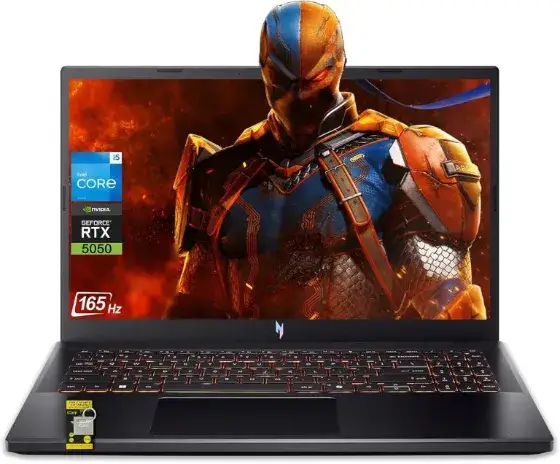
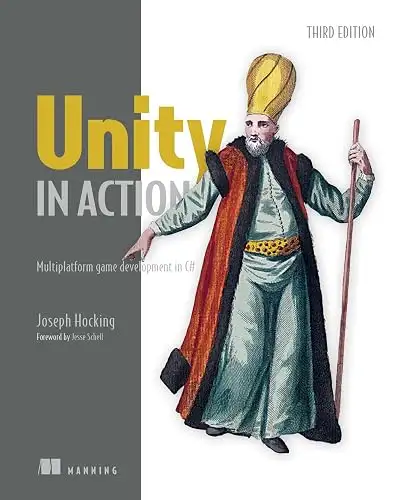

Not sure which laptop fits your projects?Answer one question and get a pick matched to your budget and workflow.
Take the laptop quiz →Free Unity tools
Calculators, checklists and references that run right in the page. No sign-up, no download.
Browse by topic
Frequently asked questions
What is DevForge Unity?
DevForge Unity is a free resource for indie game developers using Unity. It publishes step-by-step tutorials, troubleshooting guides for common Unity errors, free browser-based developer tools, and gear and asset recommendations.
Are the tutorials and tools free?
Yes. Every tutorial, cheat sheet and tool on the site is free to use with no account required. Some buying guides contain affiliate links, which are always disclosed and never change the price you pay.
Which Unity versions do the tutorials cover?
Tutorials target current Unity 6 releases and note where older versions such as 2022 LTS behave differently. The Unity Version Compatibility Checker helps you check packages and features against your version.
How do I fix a Unity error I cannot find a guide for?
Use the site search with the exact error text first, since most troubleshooting posts include it verbatim. If nothing matches, ask on the Unity Q&A page and get a direct answer to your question.
Do you have video tutorials?
Yes. The DevForge Unity YouTube channel (@devforgeunity) has narrated walkthroughs with real Unity footage, and each video links back to the matching written guide.
What topics does DevForge cover?
Physics and movement, UI, input, scripting and C# patterns, performance and WebGL builds, Blender to Unity workflows, AI tools for Unity, plus laptop, book and Asset Store buying guides for game developers.