
Mathf.Lerp and Vector3.Lerp are among the most used and most misused functions in Unity. Almost every project has a line like transform.position = Vector3.Lerp(transform.position, target, 0.1f), and almost every one of those behaves differently at 30 fps and 144 fps. This guide explains what Lerp in Unity actually does, the two correct ways to use it, framerate-independent smoothing, and when MoveTowards, SmoothDamp or Slerp is the better tool.
What Lerp Actually Does
Lerp means linear interpolation. Given a start value a, an end value b and a fraction t, it returns the value t of the way from a to b:
Mathf.Lerp(a, b, t) == a + (b - a) * t

Mathf.Lerp(0, 10, 0f)   // 0
Mathf.Lerp(0, 10, 0.5f) // 5
Mathf.Lerp(0, 10, 1f)   // 10
That’s all. Lerp has no idea about time, speed or frames. t is clamped to 0–1 (use LerpUnclamped to go beyond). Everything confusing about Lerp comes from what you pass as a and t.
Pattern 1: Timed Lerp From A to B
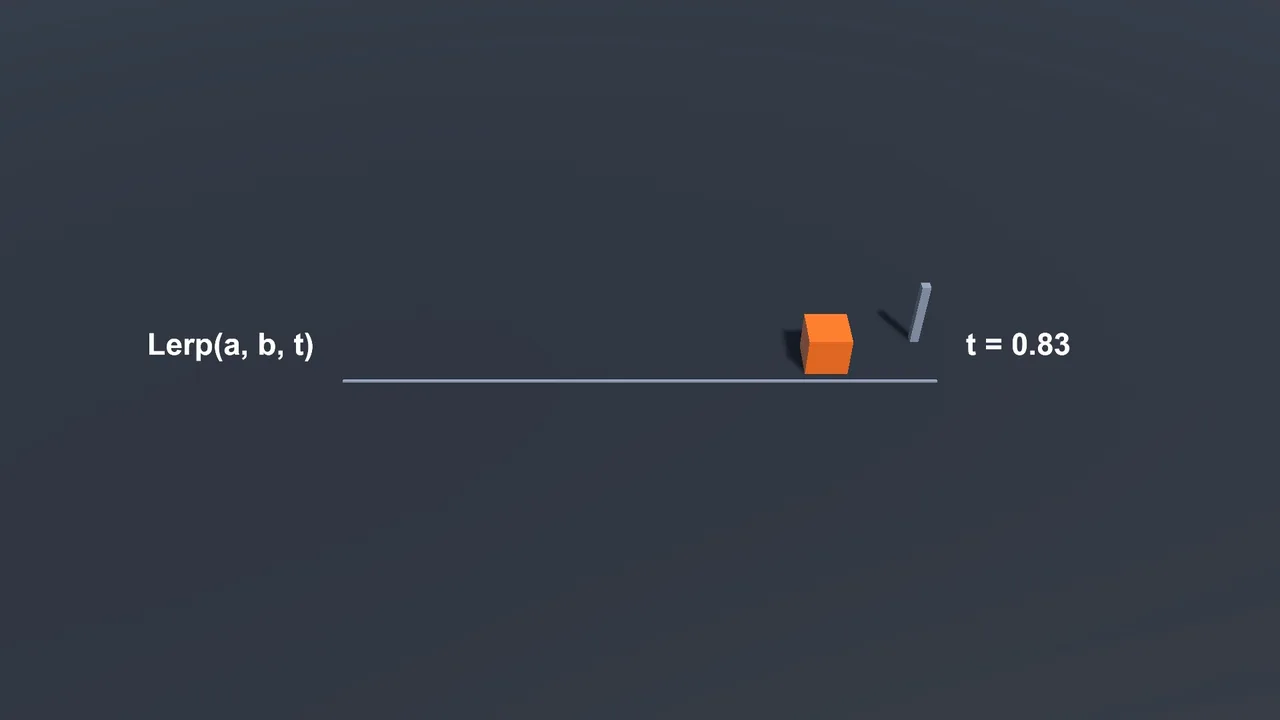
This is the “textbook” use: move from a fixed start to a fixed end over a set duration. Store the start, advance t by time, and you arrive exactly on time:
using System.Collections;
using UnityEngine;

public class MoveOverTime : MonoBehaviour
{
    public IEnumerator MoveTo(Vector3 end, float duration)
    {
        Vector3 start = transform.position;
        float elapsed = 0f;

        while (elapsed < duration)
        {
            elapsed += Time.deltaTime;
            float t = Mathf.Clamp01(elapsed / duration);
            transform.position = Vector3.Lerp(start, end, t);
            yield return null;
        }
        transform.position = end;
    }
}
Call it with StartCoroutine(MoveTo(target, 0.5f)). The movement is linear: constant speed, a hard start and a hard stop. It’s framerate-independent because t is derived from elapsed time. You can write the same thing with async Awaitable methods (see Awaitable vs coroutines).
Pattern 2: Smoothing Toward a Target
The other common pattern feeds the current value back in as a:
void Update()
{
    transform.position = Vector3.Lerp(transform.position, target.position, 0.1f);
}
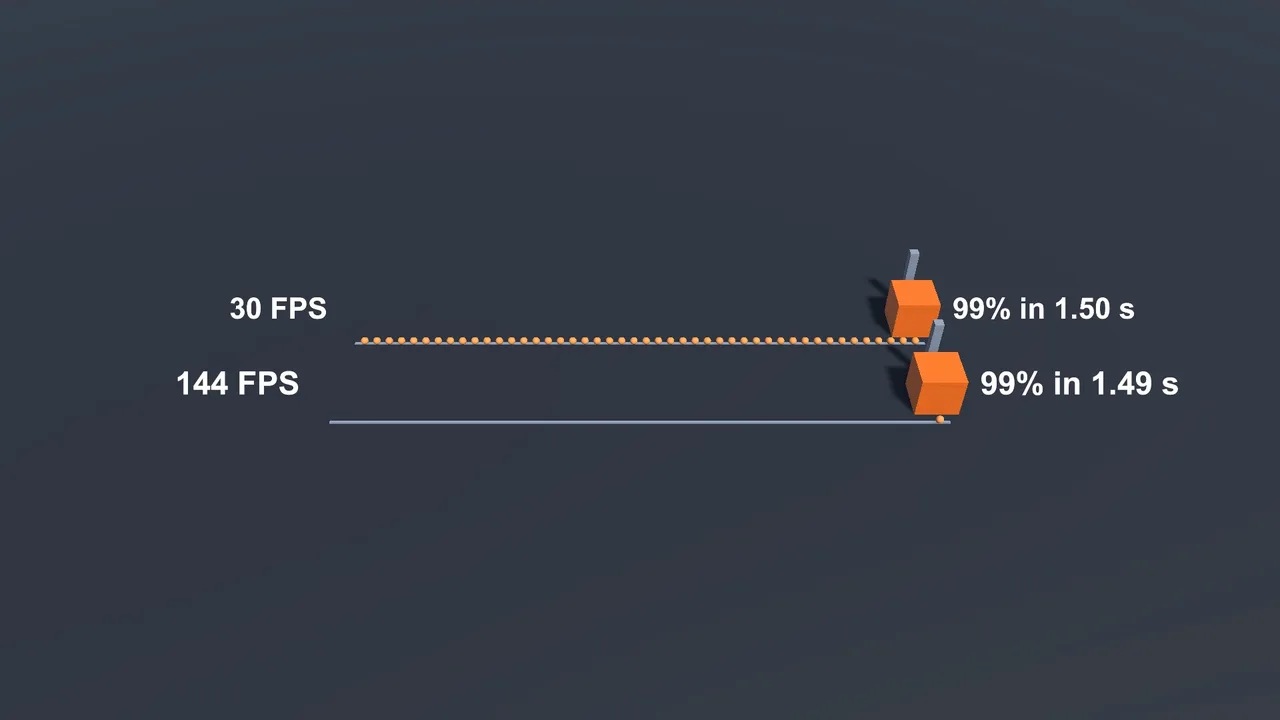
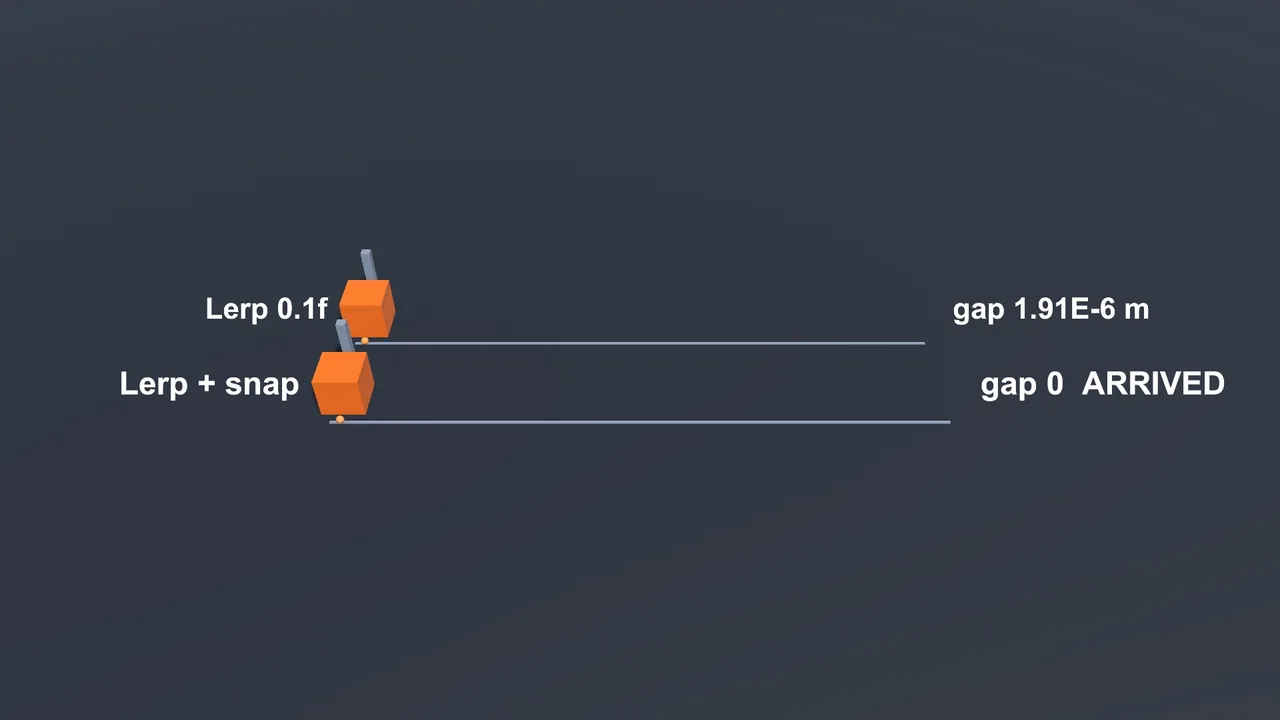
Each frame it moves 10% of the remaining distance. Big steps when far, tiny steps when close: a nice ease-out that’s great for cameras and UI. Strictly, it never fully arrives (10% of the remainder always leaves something), though floating-point precision gets there eventually.
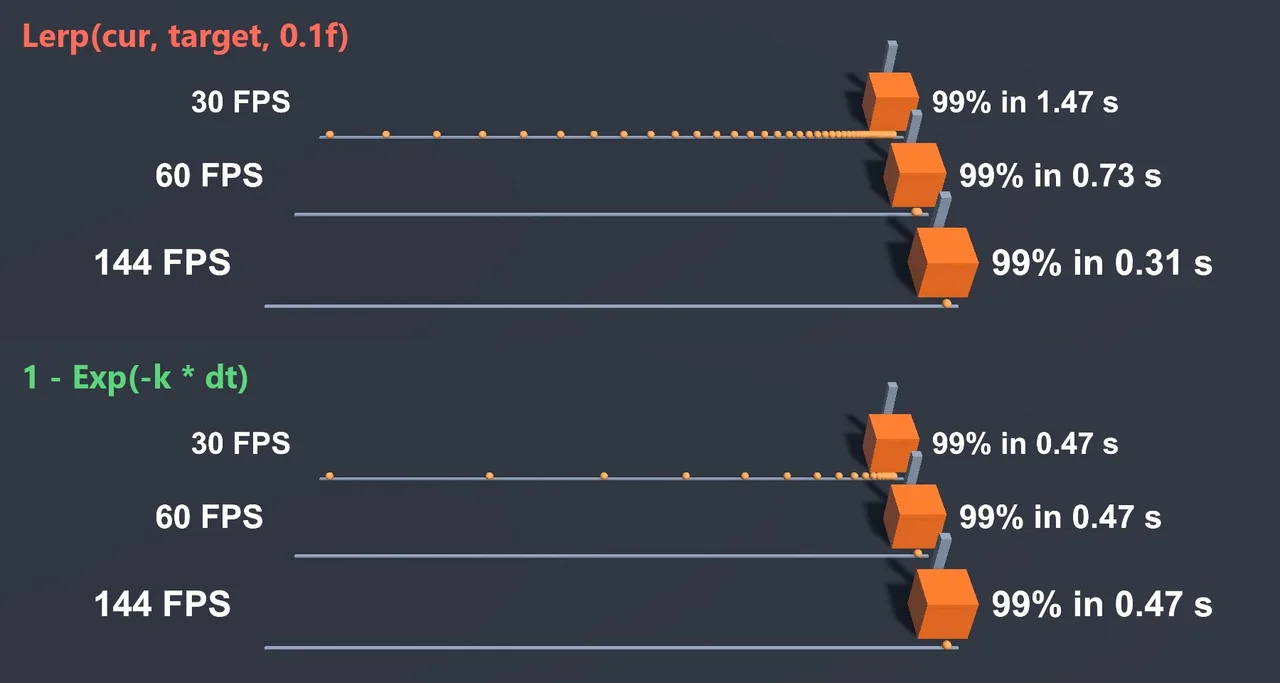
The problem is that the constant 0.1f is applied per frame. At 144 fps the object closes the gap far faster than at 30 fps. Writing 0.1f * Time.deltaTime doesn’t fix it properly. It’s closer, but still not mathematically correct, and it changes the feel completely.
Framerate-Independent Smoothing
The correct form uses an exponential decay. Pick a sharpness (how quickly the gap shrinks) and compute t like this:
[SerializeField] float sharpness = 10f;

void Update()
{
    float t = 1f - Mathf.Exp(-sharpness * Time.deltaTime);
    transform.position = Vector3.Lerp(transform.position, target.position, t);
}
Now the motion is identical at any frame rate. A sharpness of 10 closes about 63% of the gap every 0.1 seconds. Higher is snappier. If you’d rather reason in “half-life” (the time to close half the gap), use t = 1 - Mathf.Pow(0.5f, Time.deltaTime / halfLife).
| Code | Framerate-independent? | Use it? |
|---|---|---|
Lerp(current, target, 0.1f) |
No | Avoid in Update |
Lerp(current, target, speed * Time.deltaTime) |
Roughly | Acceptable for prototypes |
Lerp(current, target, 1 - Exp(-k * dt)) |
Yes | Yes |
Lerp(start, end, elapsed / duration) |
Yes | Yes (timed moves) |
Easing Curves
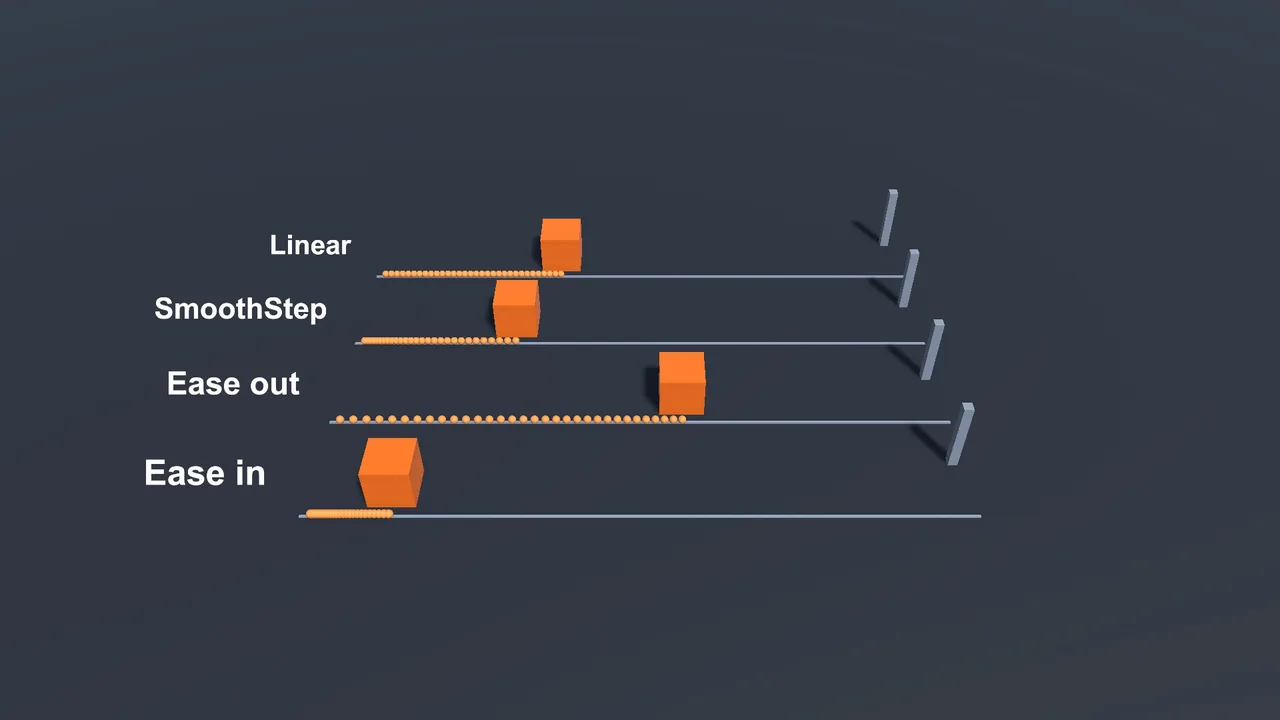
Timed Lerps are linear by default. Reshape t before passing it in to get easing:
float t = elapsed / duration;
float smooth = Mathf.SmoothStep(0f, 1f, t);   // ease in and out
float easeOut = 1f - (1f - t) * (1f - t);      // quadratic ease out
float easeIn = t * t;                           // quadratic ease in

transform.position = Vector3.Lerp(start, end, smooth);
For designer-friendly control, expose an AnimationCurve and use Vector3.LerpUnclamped(start, end, curve.Evaluate(t)). Unclamped allows curves that overshoot for a bouncy feel. If you’re writing a lot of these, a tween library is easier, and our Asset Store tools roundup covers the popular ones.
MoveTowards, SmoothDamp and Slerp
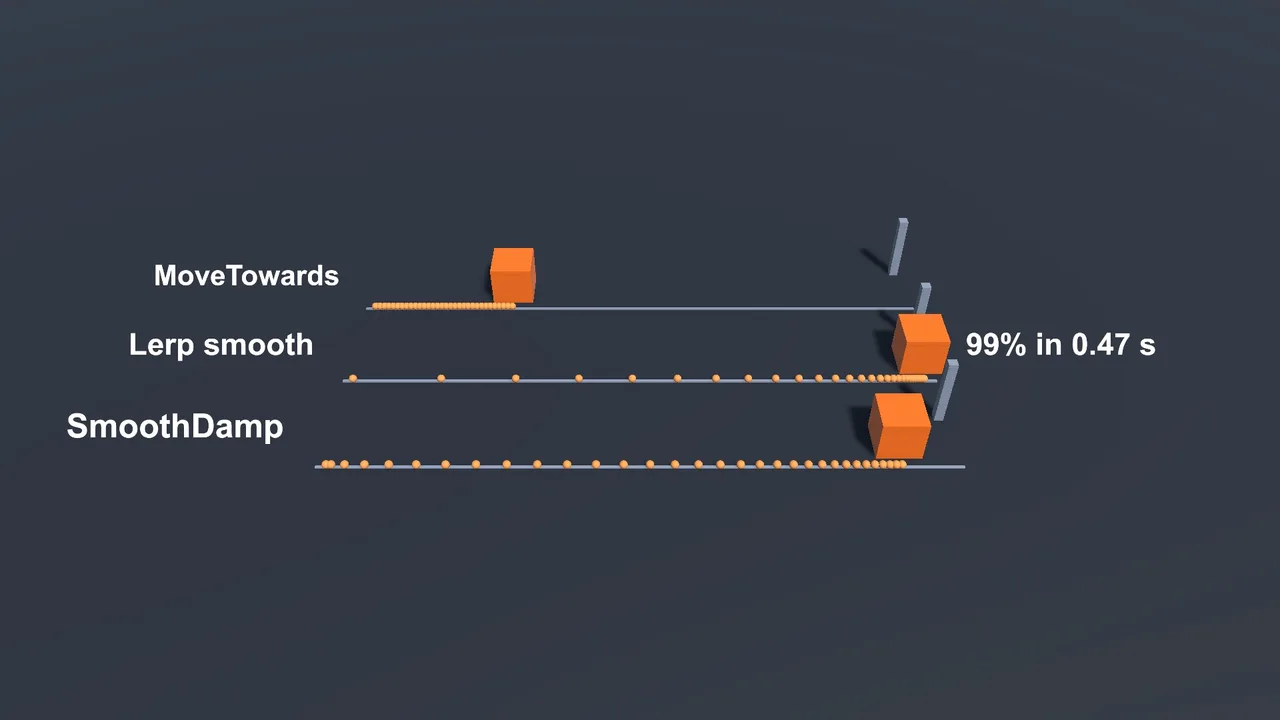
Vector3.MoveTowards(current, target, maxStep)moves at a constant speed and arrives exactly. Usespeed * Time.deltaTimeas the step. Best for projectiles, platforms and enemies walking to a point.Vector3.SmoothDamp(current, target, ref velocity, smoothTime)is a critically damped spring. It accelerates and decelerates naturally, is framerate-independent and handles moving targets well. It’s the best default for camera follow.Vector3.Slerpinterpolates along an arc, keeping magnitude. Useful for direction vectors. For rotations useQuaternion.SlerporQuaternion.RotateTowards.
Vector3 velocity;   // must be a field, not a local

void LateUpdate()
{
    transform.position = Vector3.SmoothDamp(transform.position, target.position, ref velocity, 0.25f);
}
📚 Want the maths behind it?
Interpolation, vectors and easing all come from a handful of maths ideas that pay off for years. Our game-dev book list includes some very readable maths picks.
Lerping Colours, Rotations and Floats
// Fade a colour
spriteRenderer.color = Color.Lerp(Color.white, Color.red, t);

// Rotate smoothly toward a target rotation
transform.rotation = Quaternion.Slerp(transform.rotation, targetRot, 1f - Mathf.Exp(-8f * Time.deltaTime));

// Angles: use LerpAngle so 350 -> 10 goes the short way
float yaw = Mathf.LerpAngle(currentYaw, targetYaw, t);

// Get t back from a value (remap)
float t01 = Mathf.InverseLerp(minHeight, maxHeight, height);
InverseLerp is underrated: it turns any value into a 0–1 fraction, perfect for health bars, audio by distance, and colour by height.
Troubleshooting
The object never reaches the target
You’re using the smoothing pattern, which approaches forever. Snap when close (if ((target - pos).sqrMagnitude < 0.0001f) pos = target;), or use MoveTowards or a timed Lerp.
The Lerp jumps instantly to the end
t is reaching 1 immediately. You probably wrote Lerp(a, b, Time.time) (Time.time is large after the first second), or used a big speed. Compute t from elapsed time divided by duration.
Movement is faster on high refresh-rate monitors
A constant t per frame. Switch to the exponential form shown above.
Lerp inside a coroutine doesn’t move
The loop is missing yield return null, so it all runs in one frame, or the coroutine was started on an inactive object.
Camera follow with Lerp jitters
Move the camera in LateUpdate, and if the target is a Rigidbody, enable interpolation on it. See fixing Rigidbody jitter.
FAQ
What does Lerp stand for?
Linear interpolation: finding a value a given fraction of the way between two others.
Is Vector3.Lerp framerate-independent?
Lerp itself is just maths. It’s framerate-independent when t comes from elapsed time or from the exponential formula, and frame-dependent when you pass a constant each frame.
Lerp vs MoveTowards: which should I use?
MoveTowards for constant speed with an exact arrival. Lerp for timed moves with easing or smooth ease-out following.
Lerp vs SmoothDamp for a camera?
SmoothDamp usually feels better because it eases in as well as out and copes with a moving target without lag spikes.
What’s the difference between Lerp and Slerp?
Lerp goes in a straight line. Slerp goes along an arc at constant angular speed, which is what you want for directions and rotations.
Reader questions
Asked by readers of this article and answered by AI. Behavior can differ between Unity versions, so test in yours.



Leave a Reply