
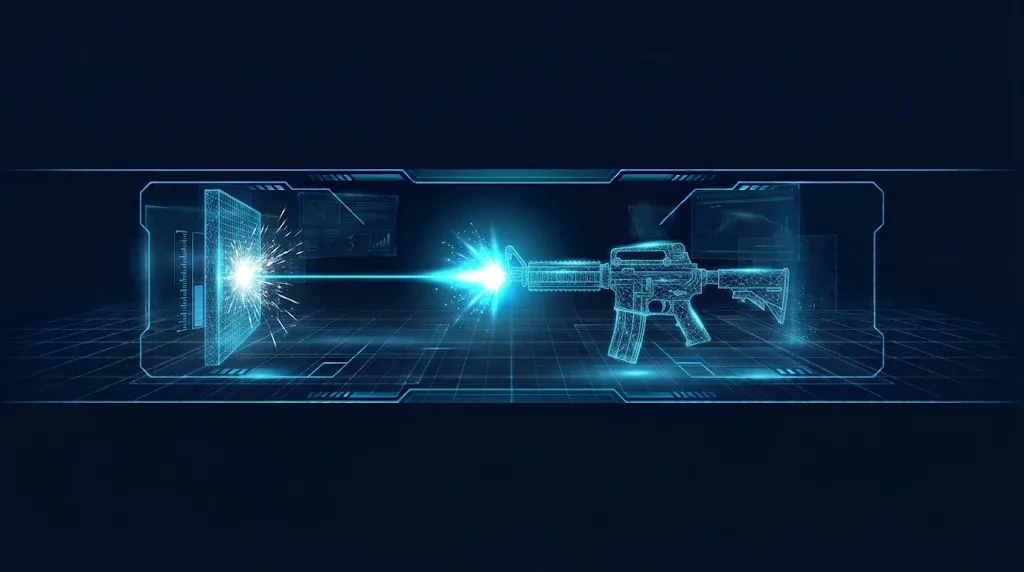
Most shooters start with a Unity hitscan gun: you press fire, a ray leaves the camera, and whatever it touches is hit instantly. There is no bullet object to track, so it is cheap, accurate and easy to get right. This guide builds a complete weapon: raycast shooting, fire rate, spread, camera recoil, muzzle flash, impact effects, damage and a reload, all in code you can drop into a first-person or third-person project.
Hitscan vs Projectiles
A hitscan weapon uses Physics.Raycast. The hit happens in the same frame as the shot. A projectile weapon spawns a bullet that travels, which is right for rockets, arrows and slow plasma. See the projectile guide for that style.
- Hitscan: instant, no gravity or travel time, very cheap. Good for pistols, rifles and lasers.
- Projectile: has travel time, can be dodged, can arc. Good for slow or visible shots.
The weapon’s trick is to make hitscan feel physical, and that comes from recoil, sound, flash and impacts, not from the ray.
The Shooting Script
The ray starts at the camera and goes straight forward. This makes the shot land exactly where the crosshair is. The visual effects play at the gun’s muzzle. Layer masks matter here, and the raycast tutorial explains how they work.
using UnityEngine;
using UnityEngine.InputSystem;

public class HitscanGun : MonoBehaviour
{
    [Header("Shooting")]
    [SerializeField] Camera cam;
    [SerializeField] float damage = 20f;
    [SerializeField] float range = 100f;
    [SerializeField] LayerMask hitMask = ~0;
    [SerializeField] float impactForce = 5f;

    [Header("Fire rate and ammo")]
    [SerializeField] float roundsPerMinute = 600f;
    [SerializeField] bool automatic = true;
    [SerializeField] int magazineSize = 12;
    [SerializeField] float reloadTime = 1.5f;

    [Header("Spread")]
    [SerializeField] float spread = 0.02f;

    [Header("Effects")]
    [SerializeField] GunRecoil recoil;
    [SerializeField] ParticleSystem muzzleFlash;
    [SerializeField] Light muzzleLight;
    [SerializeField] GameObject impactPrefab;

    int ammo;
    float nextFireTime;
    float reloadEndTime;
    bool reloading;

    void Start() => ammo = magazineSize;

    void Update()
    {
        if (reloading)
        {
            if (Time.time >= reloadEndTime)
            {
                reloading = false;
                ammo = magazineSize;
            }
            return;
        }

        if (Keyboard.current.rKey.wasPressedThisFrame && ammo < magazineSize)
        {
            StartReload();
            return;
        }

        var fire = Mouse.current.leftButton;
        bool wantsToFire = automatic ? fire.isPressed : fire.wasPressedThisFrame;

        if (wantsToFire && Time.time >= nextFireTime)
        {
            if (ammo > 0) Shoot();
            else StartReload();
        }
    }

    void Shoot()
    {
        nextFireTime = Time.time + 60f / roundsPerMinute;
        ammo--;

        Vector3 dir = GetShotDirection();

        if (Physics.Raycast(cam.transform.position, dir, out RaycastHit hit, range,
                hitMask, QueryTriggerInteraction.Ignore))
        {
            var target = hit.collider.GetComponentInParent<IDamageable>();
            if (target != null) target.TakeDamage(damage);

            if (hit.rigidbody != null)
                hit.rigidbody.AddForce(-hit.normal * impactForce, ForceMode.Impulse);

            if (impactPrefab != null)
            {
                var fx = Instantiate(impactPrefab, hit.point, Quaternion.LookRotation(hit.normal));
                Destroy(fx, 2f);
            }
        }

        PlayEffects();
        if (recoil != null) recoil.Kick();
    }

    Vector3 GetShotDirection()
    {
        Vector2 offset = Random.insideUnitCircle * spread;
        Transform t = cam.transform;
        return (t.forward + t.right * offset.x + t.up * offset.y).normalized;
    }

    void StartReload()
    {
        reloading = true;
        reloadEndTime = Time.time + reloadTime;
    }

    void PlayEffects()
    {
        if (muzzleFlash != null) muzzleFlash.Play();
        if (muzzleLight != null)
        {
            muzzleLight.enabled = true;
            CancelInvoke(nameof(HideLight));
            Invoke(nameof(HideLight), 0.05f);
        }
    }

    void HideLight() => muzzleLight.enabled = false;
}
Notes on this script:
QueryTriggerInteraction.Ignorestops invisible trigger zones from absorbing bullets.hit.rigidbodyis the Rigidbody attached to the thing you hit, or null. It lets you push crates and barrels. AForceMode.Impulsepush is the right choice for a one-off hit, as covered in the AddForce guide.IDamageableis the interface from the damage system guide. If yours has a different method signature, adjust the call.GetComponentInParentfinds the health component even when the ray hits a child collider, such as a head or arm.- The default
hitMask = ~0means everything. Set it in the Inspector to exclude the Player layer, or you can shoot your own collider if the camera is inside it.
Fire Rate and Ammo
Fire rate is rounds per minute. Dividing 60 by it gives the seconds between shots, which is what nextFireTime stores. 600 RPM is a shot every 0.1 seconds. Comparing Time.time against a stored time is simpler and more reliable than a coroutine with a wait.
The automatic toggle decides the input check. isPressed fires while the button is held. wasPressedThisFrame fires once per click, which suits pistols and sniper rifles. Because both go through the same fire-rate gate, a semi-automatic gun cannot be clicked faster than its rate either.
When ammo hits 0, the gun reloads automatically. Many games make the player press R instead, and play a dry-fire click. Both are one line of difference in Update.
Spread
Random.insideUnitCircle gives a random point in a circle with radius 1. Multiplying by spread offsets the direction slightly in the camera’s right and up axes. A spread of 0.02 is a tight group, and 0.1 is shotgun-wide.
Common upgrades:
- Zero spread on the first shot. Skip the random offset until the player has held the trigger for a moment.
- Bloom. Increase a
currentSpreadvalue after each shot and decrease it over time. Move the crosshair UI to match, so the player sees accuracy change. - Aim down sights. Lerp the spread toward a smaller value while aiming.
- Shotgun. Fire several rays in one Shoot call, each with its own random direction.
Camera Recoil
Recoil is what makes a gun feel heavy. The common approach is a recoil pivot between the player’s head and the camera. Each shot adds a kick to a target rotation, the pivot snaps toward that target, and the target returns to zero over time.
using UnityEngine;

public class GunRecoil : MonoBehaviour
{
    [SerializeField] Transform recoilPivot;      // parent of the camera
    [SerializeField] Vector2 kick = new Vector2(1.5f, 0.4f);  // pitch up, random yaw range
    [SerializeField] float snappiness = 20f;
    [SerializeField] float returnSpeed = 8f;

    Vector2 targetRecoil;
    Vector2 currentRecoil;

    public void Kick()
    {
        targetRecoil += new Vector2(kick.x, Random.Range(-kick.y, kick.y));
    }

    void Update()
    {
        targetRecoil = Vector2.Lerp(targetRecoil, Vector2.zero, returnSpeed * Time.deltaTime);
        currentRecoil = Vector2.Lerp(currentRecoil, targetRecoil, snappiness * Time.deltaTime);
        recoilPivot.localRotation = Quaternion.Euler(-currentRecoil.x, currentRecoil.y, 0f);
    }
}
Put the camera as a child of recoilPivot, and keep your mouse look on a different object above it. That way the recoil never fights the player’s own aiming, and the view returns to where it started. Raising snappiness makes each kick sharper, and a higher returnSpeed recovers faster. If you want to push the view for good, add the kick to the mouse look’s pitch instead, which makes the player pull down to compensate.
For an extra punch on heavy weapons, add a small camera shake with each shot. The screen shake guide shows how to do that with Cinemachine impulses. Moving the weapon model back a few centimetres on each shot and easing it forward again adds to the effect.
Muzzle Flash and Impacts
Muzzle flash. Put a small ParticleSystem at the muzzle with a few short-lived bright quads or a flash sprite, Looping off, and Play On Awake off. Call Play() on every shot. Add a point Light with a short range and turn it on for 0.05 seconds for the lighting flicker. The script above does this with Invoke. Rotate the flash sprite randomly each shot so it does not look repeated.
Impact effects. Instantiate a prefab at hit.point rotated to face along hit.normal. Use dust for concrete, sparks for metal and so on, by choosing the prefab from the hit object’s tag or a component. A bullet hole decal is usually a small quad with a decal material placed slightly off the surface along the normal.
Spawning and destroying an effect for every shot becomes a source of garbage at high fire rates. Use a pool instead. The object pooling guide shows Unity’s built-in ObjectPool, and the garbage collection guide explains the cost.
Tracers. A LineRenderer from the muzzle to hit.point (or to a point at max range on a miss) for a few frames gives a visible bullet trail. Keep it brief.
🎯 Effects and sound packs
Weapons live or die on sound and effects. Our guide to Asset Store tools for indie devs lists VFX and audio packs worth a look.
Reloading
The script above reloads with a timer, which keeps the logic in one place. While reloading is true, Update returns early, so the gun cannot fire. Extend it with:
- A reload animation trigger on the weapon model, with the animation length matched to
reloadTime. - A reload sound, and a click when the magazine is empty.
- Reserve ammo: subtract only what is needed from a reserve count, instead of refilling for free.
- Cancelling a reload when the player switches weapon, so ammo does not refill in the background.
- A UI ammo counter. A simple TextMeshPro label updated after each shot works well, and the TextMeshPro tutorial shows the basics.
Troubleshooting
The shot never hits anything
The target has no collider, it is on a layer excluded from hitMask, or the range is too short. Draw the ray with Debug.DrawRay(cam.transform.position, dir * range, Color.red, 1f) to see where it goes.
The ray hits the player
The ray starts inside the player’s collider. Remove the Player layer from the mask, or start the ray from the camera in front of the body.
Shots miss the crosshair
The ray starts from the muzzle instead of the camera. Fire from the camera, and only use the muzzle for effects.
Bullets hit invisible volumes
Trigger colliders are in the way. Pass QueryTriggerInteraction.Ignore as in the script.
Recoil never returns to center
You are adding recoil to the mouse look rotation and never subtracting it. Use the separate recoil pivot, or reverse the applied recoil as it recovers.
Fire rate changes with frame rate
The gun is firing once per frame while the button is held. Use the nextFireTime check, as above.
NullReferenceException on muzzleFlash or recoil
A field is not assigned in the Inspector. The script null-checks the optional effects, but required ones like the camera must be set.
FAQ
Should I use Update or FixedUpdate for shooting?
Update. Input is read per frame, and a raycast against the current physics state works fine there.
How do I add headshots?
Put a different component or tag on the head collider and multiply damage when the ray hits it. The ray reports the exact collider hit.
How do I shoot through thin walls or glass?
Use Physics.RaycastAll and sort by distance, or put penetrable surfaces on a layer you skip.
Can hitscan work in 2D?
Yes. Use Physics2D.Raycast with a direction and a 2D layer mask.
Is hitscan good for multiplayer?
It is the simplest model to validate on a server, because the server can run the same raycast. Projectiles need extra synchronisation.
Reader questions
Asked by readers of this article and answered by AI. Behavior can differ between Unity versions, so test in yours.
Leave a Reply