
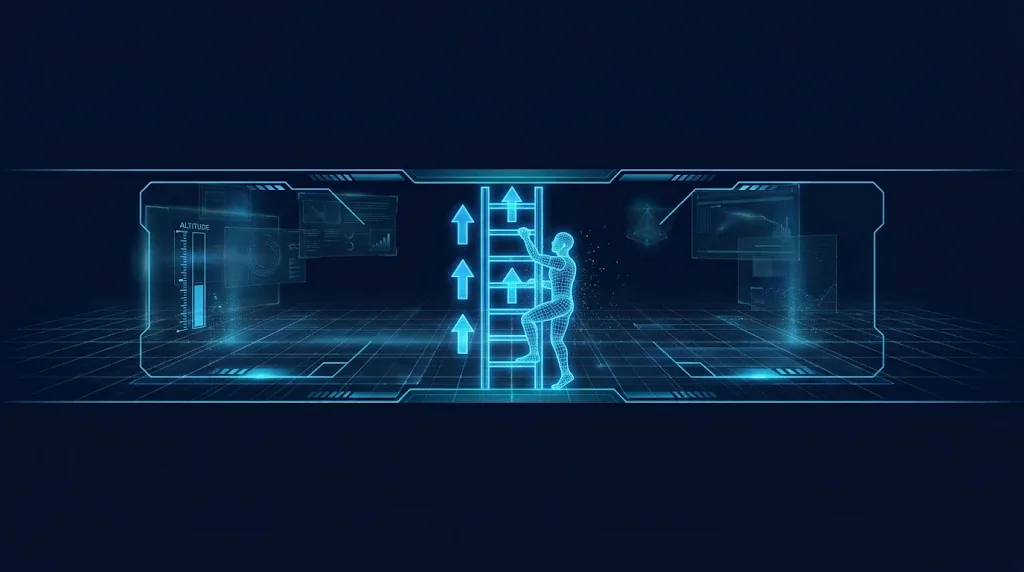
Ladders look simple until you build one. The player has to grab the ladder, stop falling, move up and down, and get off at the top without sliding back or getting stuck in the floor. This guide builds Unity ladder climbing for both 2D platformers (Rigidbody2D) and 3D games (CharacterController): trigger zones, switching gravity off, climb input, getting on and off cleanly and driving the climb animation.
How a Ladder Works
A ladder is a state, not a surface. While the player is in the ladder’s trigger zone and presses up or down, the character enters a climbing state. In that state:
- Gravity is off, so the player does not slide down.
- Normal walking and jumping are ignored.
- Vertical input moves the player along the ladder at a fixed climb speed.
- Leaving the zone, or jumping off, returns the player to normal movement.
Keep the ladder dumb. It is a trigger collider with a small marker script. The player decides what to do with it. This mirrors the trigger patterns in the interaction system guide.
Ladder Setup
Create an empty GameObject named Ladder, add a visual (sprite or mesh), and add a collider set to Is Trigger. Make the trigger as tall as the ladder and fairly narrow. Then add this marker script:
using UnityEngine;

public class Ladder : MonoBehaviour
{
    // Optional: the platform at the top, so the player can climb through it
    public Collider2D topPlatform;
}
If triggers are not firing, remember that at least one of the two objects needs a Rigidbody, and the layers must be allowed to collide. The OnTriggerEnter guide and the collision layers matrix guide cover those causes.
Climbing in 2D
This script goes on the player, next to a Rigidbody2D and a Collider2D. It stores the player’s normal gravity, switches it to zero while climbing, and controls vertical speed directly.
using UnityEngine;
using UnityEngine.InputSystem;

[RequireComponent(typeof(Rigidbody2D), typeof(Collider2D))]
public class LadderClimber2D : MonoBehaviour
{
    [SerializeField] float climbSpeed = 3f;

    Rigidbody2D rb;
    Collider2D col;
    Ladder ladder;
    float normalGravity;
    float vertical;

    public bool IsClimbing { get; private set; }

    void Awake()
    {
        rb = GetComponent<Rigidbody2D>();
        col = GetComponent<Collider2D>();
        normalGravity = rb.gravityScale;
    }

    void Update()
    {
        var kb = Keyboard.current;
        vertical = (kb.wKey.isPressed ? 1f : 0f) - (kb.sKey.isPressed ? 1f : 0f);

        if (!IsClimbing && ladder != null && Mathf.Abs(vertical) > 0.1f)
            StartClimb();

        // jump off the ladder
        if (IsClimbing && kb.spaceKey.wasPressedThisFrame)
            StopClimb();
    }

    void FixedUpdate()
    {
        if (!IsClimbing) return;
        rb.linearVelocity = new Vector2(0f, vertical * climbSpeed);
    }

    void StartClimb()
    {
        IsClimbing = true;
        rb.gravityScale = 0f;
        rb.linearVelocity = Vector2.zero;

        // snap to the middle of the ladder
        rb.position = new Vector2(ladder.transform.position.x, rb.position.y);

        if (ladder.topPlatform != null)
            Physics2D.IgnoreCollision(col, ladder.topPlatform, true);
    }

    void StopClimb()
    {
        IsClimbing = false;
        rb.gravityScale = normalGravity;

        if (ladder != null && ladder.topPlatform != null)
            Physics2D.IgnoreCollision(col, ladder.topPlatform, false);
    }

    void OnTriggerEnter2D(Collider2D other)
    {
        if (other.TryGetComponent(out Ladder l)) ladder = l;
    }

    void OnTriggerExit2D(Collider2D other)
    {
        if (other.TryGetComponent(out Ladder l) && l == ladder)
        {
            if (IsClimbing) StopClimb();
            ladder = null;
        }
    }
}
Your normal movement script must stand aside while IsClimbing is true. If it writes linearVelocity every frame, it will overwrite the climb, the same problem described in the AddForce guide. A simple fix is an early return in that script:
void FixedUpdate()
{
    if (climber.IsClimbing) return;
    // normal movement...
}
In Unity 6 the property is linearVelocity. The old velocity name is obsolete. For general 2D movement, see the 2D platformer movement guide.
Climbing in 3D
With a CharacterController, there is no gravity setting to toggle, because your own script applies gravity. So the climber simply moves the controller up and down and the main movement script skips its gravity while climbing. If you are choosing between controllers, the CharacterController vs Rigidbody guide helps.
using UnityEngine;
using UnityEngine.InputSystem;

[RequireComponent(typeof(CharacterController))]
public class LadderClimber3D : MonoBehaviour
{
    [SerializeField] float climbSpeed = 2.5f;
    [SerializeField] float distanceFromLadder = 0.4f;

    CharacterController controller;
    Ladder3D ladder;

    public bool IsClimbing { get; private set; }

    void Awake() => controller = GetComponent<CharacterController>();

    void Update()
    {
        var kb = Keyboard.current;
        float v = (kb.wKey.isPressed ? 1f : 0f) - (kb.sKey.isPressed ? 1f : 0f);

        if (!IsClimbing && ladder != null && Mathf.Abs(v) > 0.1f)
            GrabLadder();

        if (!IsClimbing) return;

        if (kb.spaceKey.wasPressedThisFrame)
        {
            IsClimbing = false;
            return;
        }

        controller.Move(Vector3.up * (v * climbSpeed * Time.deltaTime));
    }

    void GrabLadder()
    {
        IsClimbing = true;

        // stand in front of the ladder, facing it
        Vector3 pos = ladder.transform.position - ladder.transform.forward * distanceFromLadder;
        pos.y = transform.position.y;

        controller.enabled = false;           // allow a direct position change
        transform.position = pos;
        transform.rotation = ladder.transform.rotation;
        controller.enabled = true;
    }

    void OnTriggerEnter(Collider other)
    {
        if (other.TryGetComponent(out Ladder3D l)) ladder = l;
    }

    void OnTriggerExit(Collider other)
    {
        if (other.TryGetComponent(out Ladder3D l) && l == ladder)
        {
            IsClimbing = false;
            ladder = null;
        }
    }
}

public class Ladder3D : MonoBehaviour { }
Put Ladder3D in its own file named Ladder3D.cs in a real project. Unity needs one MonoBehaviour per file, and the file name must match the class. The ladder object’s blue (forward) axis should point toward the wall it leans on, so the player ends up facing the ladder. Disabling the controller before setting transform.position is needed because a CharacterController can fight a direct position change.
In your normal movement script, check IsClimbing and skip gravity and walking while it is true:
void Update()
{
    if (climber.IsClimbing) return;
    // walking, gravity, jumping...
}
Getting On and Off at the Ends
Most ladder bugs live at the top and bottom.
- Top of the ladder. Make the trigger end a little above the platform, so the player is still “on the ladder” when level with the floor. In 2D, use a one-way platform at the top and the
topPlatformreference above, so the player climbs up through it, and can also climb down from the top by pressing down. - Stepping off the top. When the player leaves the trigger while holding up, give a small forward and upward nudge, or play a short “climb over” animation, so they land on the platform instead of falling back.
- Bottom of the ladder. If the player reaches the ground while pressing down, drop out of the climbing state. In 2D, check the ground with a small overlap or raycast, as in the raycast tutorial.
- Jump off. Letting the player press Jump to leave the ladder feels good. Optionally add a small sideways push so they do not instantly re-grab it, or ignore the ladder for a short time after jumping.
- Grabbing from the air. If the player is falling when they enter the zone, only grab on up or down input. That avoids accidental grabs when running past.
🔧 Art and animation kits
Climbing needs animations, and clean ones are hard to make. Browse our guide to the best Asset Store tools for indie devs for packs that include climb sets.
Climb Animations
Add a bool parameter, for example Climbing, to the Animator Controller, and a transition from the idle or run state into a climb state when it is true. Set it from the climber script:
[SerializeField] Animator animator;

void SetClimbAnimation(bool climbing, float vertical)
{
    animator.SetBool("Climbing", climbing);

    // pause the climb pose when the player stops moving
    animator.speed = climbing ? Mathf.Abs(vertical) : 1f;
}
Call it every Update with the current state. Setting animator.speed to 0 freezes the climb pose while the player holds still on a rung, and setting it back to 1 restores normal playback for every other state. If transitions feel late, the animator transition delay guide shows what to uncheck. In the transition from climb back to idle, turn off Has Exit Time so it exits immediately.
Troubleshooting
The player slides down the ladder
Gravity is still on. In 2D set gravityScale to 0 while climbing and restore it after. In 3D make sure the movement script skips gravity.
The player cannot grab the ladder
The trigger is not firing. Check that the ladder collider has Is Trigger on, the player has a Rigidbody (2D or 3D) or a CharacterController, and the 2D and 3D callbacks match the physics type.
The player climbs but also walks sideways
The normal movement script is still running. Return early when IsClimbing is true.
The player falls through the top platform
You ignored the collision and never restored it. Call IgnoreCollision with false when the climb ends, including when the trigger exit happens.
The player gets stuck at the top
The trigger ends below the platform. Extend it a little above the floor, and add a small hop when leaving the top while holding up.
The climb animation plays while standing still
Set animator.speed from the climb input so the pose pauses when vertical input is 0.
FAQ
Should the ladder be a trigger or a solid collider?
A trigger. The player has to be able to overlap it. Solid colliders would push the player away from the ladder.
Can I use an Animator-free climb?
Yes. The climb logic does not depend on animation. Animation only makes it look right.
How do I make ropes or vines?
The same system works. Use a narrower trigger and optionally allow horizontal swinging by adding input on the other axis.
Does this work with the old Input Manager?
Yes. Replace the Keyboard checks with Input.GetAxisRaw("Vertical") if your project uses the old system.
How do I stop enemies climbing ladders?
Only the player has the climber script. Enemies ignore ladders unless you give them the same component.
Reader questions
Asked by readers of this article and answered by AI. Behavior can differ between Unity versions, so test in yours.

Leave a Reply